One Simple Hack GitKraken Doesn't Want You to Know About
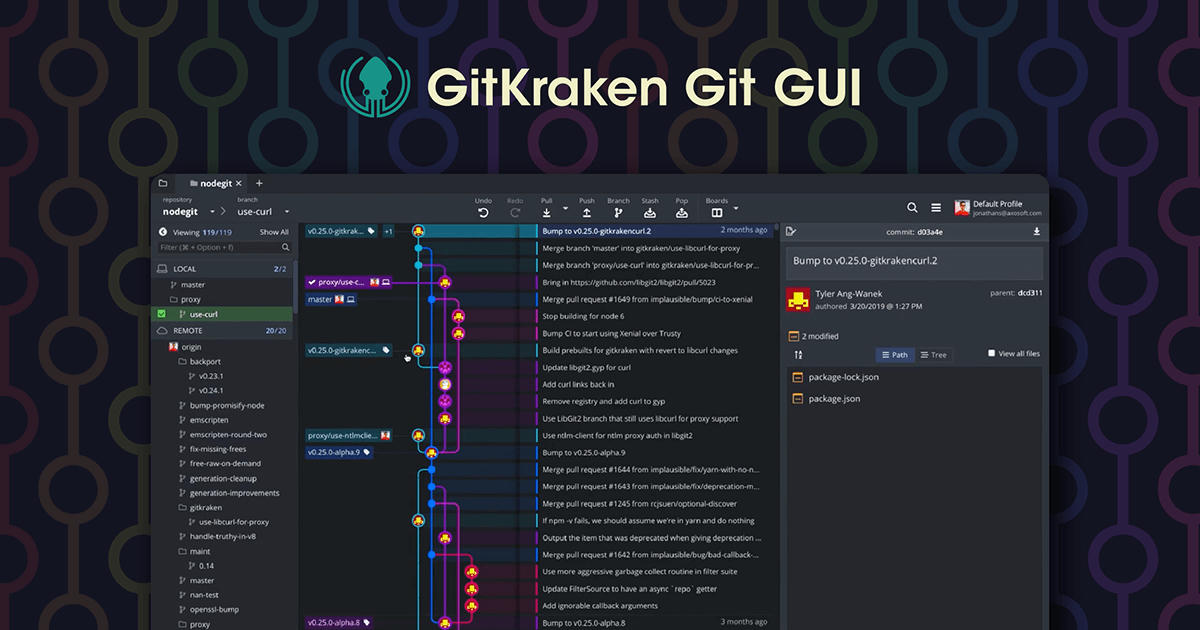
GitKraken Desktop is genuinely good. The commit graph is the best I’ve used, the merge conflict resolution is slick, and the overall UX beats any other Git GUI I’ve tried. But — there’s always a but — the free tier only allows one Git profile and public repos. The moment you open a private repo, it asks you to upgrade or close it.
I work on private repos daily. I also didn’t want to pay for a Git client. This is the story of how I found a way around that restriction using a handful of bare repos, some Git hooks, and a transparent wrapper script that sits between my shell and the real git binary. It took three attempts to get right.
How GitKraken decides you’re on a private repo
GitKraken (like many tools) uses libgit2 under the hood rather than shelling out to the git command. When you open a repository, it reads the remote origin URL from the Git config. If that URL points to a private GitHub/GitLab/etc. repository, it flags the repo as requiring a paid license. The check is simple — it’s not doing anything clever like pinging GitHub’s API to verify the repo’s visibility. It just looks at the URL pattern and decides.
So the game becomes: how do you make GitKraken see a non-threatening URL while you still work with the real remote?
Attempt 1: The domain swap
My first idea was straightforward: replace github.com in the remote URL with a fake domain that I control, then configure SSH to route that domain back to GitHub transparently.
[remote "origin"]
    url = [email protected]:user/repo.git
Then in ~/.ssh/config:
Host my-fake-domain.example
    HostName github.com
    User git
    IdentityFile ~/.ssh/id_ed25519
GitKraken would see my-fake-domain.example, classify the repo as non-GitHub, and let me work. Meanwhile, every git push still reached GitHub through the SSH config indirection.
It worked — for a while. GitKraken eventually updated their detection to resolve unknown hostnames and check where they actually point. The cat-and-mouse game began.
Attempt 2: The drive-by remote
After GitKraken patched the domain trick, I tried something simpler: keep the remote origin empty or removed during development, and only add it back briefly when I needed to push.
# Remove origin to make GitKraken think it's a local-only repo
git remote remove origin

# Do work, commit, etc.

# Add origin back to push
git remote add origin [email protected]:user/repo.git
git push origin main
git remote remove origin
This worked but was deeply impractical. I couldn’t pull changes from collaborators, fetching was a hassle, and I had to constantly remember to re-add the remote before pushing. One forgotten git remote remove and you accidentally leave a private repo visible in GitKraken, getting the upgrade prompt again. It was fragile and error-prone.
Attempt 3: Proxy bare repos (the one that stuck)
The breakthrough came when I realized I could insert a local bare repository as a proxy between my working tree and the real remote. GitKraken opens a working repo and reads its remote URL. If the origin points to a file:// path instead of github.com, GitKraken doesn’t flag it as private. A local bare repo is just a directory on disk — from GitKraken’s perspective, it looks like a local-only setup.
Here’s how it works:
Step 1: Create a bare proxy
When I run git proxy setup, it takes the current repo’s origin URL (e.g. [email protected]:user/private-repo.git), creates a SHA-256 hash of that URL, and initializes a bare repo at ~/.gitremote/<hash>/:
hash=$(echo -n "$url" | sha256sum | cut -c1-12)
git init --bare "$HOME/.gitremote/$hash"
git -C "$HOME/.gitremote/$hash" config remote.real-origin.url "$url"
Then it swaps the working repo’s origin from [email protected]:user/private-repo.git to file://${HOME}/.gitremote/<hash>.
Step 2: Auto-mirror with a hook
The bare proxy repo gets a post-receive hook that mirrors every push to the real remote:
#!/usr/bin/env bash
set -euo pipefail
command git push --mirror real-origin
Every git push to the local proxy automatically propagates to GitHub. GitKraken never sees the real URL — it only sees file:///home/sam/.gitremote/a1b2c3d4e5f6/, which looks like a local-only repository.
Step 3: Transparent pre-sync
When I pull or fetch, the bare repo needs fresh data from the real remote. GitKraken’s git push works fine (the hook handles the mirror), but git pull needs the proxy to be updated first. For that, I installed a wrapper script at ~/.local/bin/git that shadows the system git on my PATH:
#!/usr/bin/env bash
real_git="@REAL_GIT@"

remote=$(command git config --get remote.origin.url 2>/dev/null || true)
if [[ "$remote" == file://"$HOME"/.gitremote/* ]]; then
    proxy_path="${remote#file://}"
    command git -C "$proxy_path" fetch real-origin 2>/dev/null || true
fi

exec "$real_git" "$@"
Before every fetch, pull, or push, the wrapper syncs the bare proxy from the real remote. GitKraken (or any libgit2-based tool) just sees a local file:// origin that always has up-to-date data.
The supporting infrastructure
The bare proxy trick alone wasn’t enough. GitKraken’s libgit2 also handles SSH differently than the CLI — it reads ~/.ssh/known_hosts directly and ignores HostKeyAlias from ssh_config. I had to seed known_hosts with literal entries for SSH hostname aliases so GitKraken could connect through the proxy without failing host key verification.
The whole setup is wired through my Nix dotfiles (~/.nixcfg/), which means it’s reproducible and survives rebuilds without manual steps. The git wrapper, the SSH config patches, the bare repo management commands — all declared declaratively in a home-manager module.
The gray area
Let me address the elephant in the room. GitKraken’s free tier is offered for use with public repos. By using a proxy to hide the real remote URL, am I breaking the terms?
I read the EULA (current version, updated February 25, 2026). The relevant clause is Section 2.4: “You may only use the Software… in the scope of the licenses granted herein.” The free tier’s scope is one profile + public repos. My setup technically operates outside that scope. The EULA doesn’t have an anti-circumvention clause — it doesn’t say “you may not defeat license enforcement” — but it does say you can only use the software as licensed.
The enforcement mechanism is purely financial: Section 2.1 says if they catch you breaching terms, they can charge you for over-usage. Section 6 says they can terminate your license. That’s the extent of it — this is a contract dispute, not a legal violation. No laws are being broken, no DMCA anti-circumvention, no computer fraud. It’s a gray area within the EULA, not outside the law.
Is it right? That’s for you to decide. I’m sharing the technique because the engineering puzzle behind it is interesting — the evolution from a brittle URL hack to a layered, transparent proxy system that’s been running reliably for months.
Why I’m sharing this
This isn’t a call to avoid paying for software. GitKraken is a good product and their team deserves to be compensated. But the story of the three attempts — the patched domain swap, the fragile remote removal, the final proxy system — is a fun engineering narrative about working within constraints. And the final solution uses nothing but vanilla Git features: bare repos, hooks, and wrapper scripts. No reverse engineering, no binary patching, no piracy.
If you find yourself in a similar spot and want a technical deep-dive into how this works, the full configuration lives in my dotfiles repository. The relevant files are:
modules/home-manager/programs/cli/git.nix— Git configuration and wrapper deploymentmodules/home-manager/scripts/proxy/proxy.sh— Thegit proxysubcommandmodules/home-manager/scripts/proxy/wrapper.sh— The transparentgitwrappermodules/home-manager/programs/cli/ssh.nix— SSH workarounds for libgit2modules/home-manager/scripts/overrides/git.sh— The shell function override
The whole thing is about 300 lines of shell and Nix expressions, and the proxy setup for any given repo is a single command: git proxy setup.